Facebook doesn’t have a landing page anymore. To solve this issue, you can create a coupon tab (just like described below) and direct your customers to it.
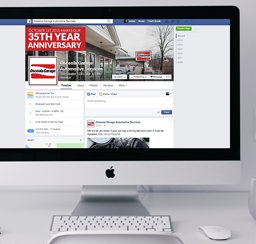
After you have created your Facebook business page, the first thing you should work on is your landing page. A landing page is the first screen people will see when they “land” on (or go to) your Facebook. It is really important that this page is nice and attractive since it is the first impression your customer will have about your social media efforts.  You can choose which tab will be the landing page and there are many ways to personalize it. If you are new on Facebook, I’d suggest you choose a coupon tab to be your default landing page. The coupon can be configured to be available for new fans only and once the coupon is redeemed, Facebook will automatically take the fan to your wall.
How to configure your landing page: Log in to your Facebook account. Go to EDIT PAGE on the top right hand side of the screen. Then click on MANAGE PERMISSIONS (left hand side). In the middle of the screen, you will see the option DEFAULT LANDING PAGE. There you can choose which tab you want your fans to see first.

How to create a coupon tab: There are many applications you can use to create a coupon tab but I recommend Woobox, a service that is easy to set up, and it is free for custom tabs and coupons. To use this application, go to www.woobox.com and sign up. You will need to fill in a form with your name, company’s name, email and password. Click on CREATE ACCOUNT and then choose the free plan. The next step is to connect your Facebook account with Woobox. To do that, click on SETTINGS (top right hand side), and then find the link CONNECT A FACEBOOK PAGE.
On the next screen, log in with your Facebook info, and then choose the page you’d like to add to Woobox. Facebook will ask for your permission to connect both accounts. Click on ALLOW. Now, select the page you want to add the coupon box to, and click on SELECT PAGE. You are done connecting the pages—now let’s create a coupon tab. On the right hand side of the screen, click on PROMOTIONS. Then click on ADD AN OFFER and next on ADD COUPON.

Now you are going to create your offer (or coupon). Fill in all the information:
Facebook OFFER
- Title: Title of your coupon.
- Description: Describe the offer here (like “Thanks for liking us on Facebook! Here is $10 off your check!”).
- Restrictions: Specify if your coupon has restrictions (like “Valid on orders of $35 or more”).
- Expiration date: Choose a date for your coupon to expire.
Facebook OFFER SETTINGS
- End date: The date your coupon will be taken off your Facebook page.
- Custom codes: If you want codes to control the coupons you receive, Woobox offers 4 options:
- No, auto-generate codes (Woobox will generate the codes for you)
- Yes, upload or paste codes (You will upload the codes and Woobox will paste it on the coupons)
- Yes, same code for all coupons
- Do not use any codes
- Max coupons: Choose how many coupons you want to give away or choose “unlimited.”
- One per user: Choose how many coupons each fan can redeem.
- Require share: You can use this option to get even more fans. Select “ask fan to share offer on Facebook” and Facebook will automatically share the offer with all your fans’ friends, if your fan uses the feature.
- Fans only: Here you have two options—to allow anyone to get the coupon or allow fans only. If you are creating the coupon with the objective of getting more fans, the second option is better for you.
- Friends Gate: Similar to Require Share, this option allows your fans’ friends to have access to your offer. Turn this option ON if you are targeting your fans’ friends. If not, just check OFF.
- Custom offer image: If you have an image or coupon you would like to show up on the page, add it here.
- Custom voucher image: You can upload a picture to show on the vouchers.
- Relative expiration: Choose between “all coupons have same expiration date” or “increment expiration date for new coupons each day.”
- Visible time limit: Here is where you define until when your fans will be able to print the coupon they’ve redeemed. Choose “user can view and print coupon until expiration date” or “set viewing and printing time limit.” I suggest you choose the first option so if a fan “like” your page using a mobile device, he can print the coupon later.
- Require email: This is just another way to control who gets a coupon. If you want to use emails as a control method, you can require the fans to enter their email in order to get the coupon.
ADVANCED SETTINGS (Optional)
- Custom offer image: If you have an image or coupon you would like to show up on the page, add it here.
- Custom voucher image: You can upload a picture to show on the vouchers.
- Relative expiration: Choose between “all coupons have same expiration date” or “increment expiration date for new coupons each day.”
- Visible time limit: Here is where you define until when your fans will be able to print the coupon they’ve redeemed. Choose “user can view and print coupon until expiration date” or “set viewing and printing time limit.” I suggest you choose the first option so if a fan “like” your page using a mobile device, he can print the coupon later.
- Require email: This is just another way to control who gets a coupon. If you want to use emails as a control method, you can require the fans to enter their email in order to get the coupon.
After you fill in all the information, click on ADD COUPON. Woobox will automatically add the tab on your Facebook page. Also, Woobox will show you a screen with all the data related to your coupon and the link to the tab.
You are done! You can come back to Woobox later to edit your offer or add new ones. You can even use it to create offers for Twitter. Just don’t forget to go to Facebook and make your coupon tab the default landing page. Your fans will definitely enjoy the offer!